An Android app for thermal cameras that plug into your phone. Find thermal bridges, missing insulation and draughts, and see where walls get cold enough for condensation and mould.
- Live thermal image with spot, minimum and maximum temperatures
- Moisture mode marks surfaces at risk of mould or condensation
- Wall check: how well a spot of wall holds heat, replayed over the last seven days (with Home Assistant)
- Snapshots go to your gallery with the full temperature data inside
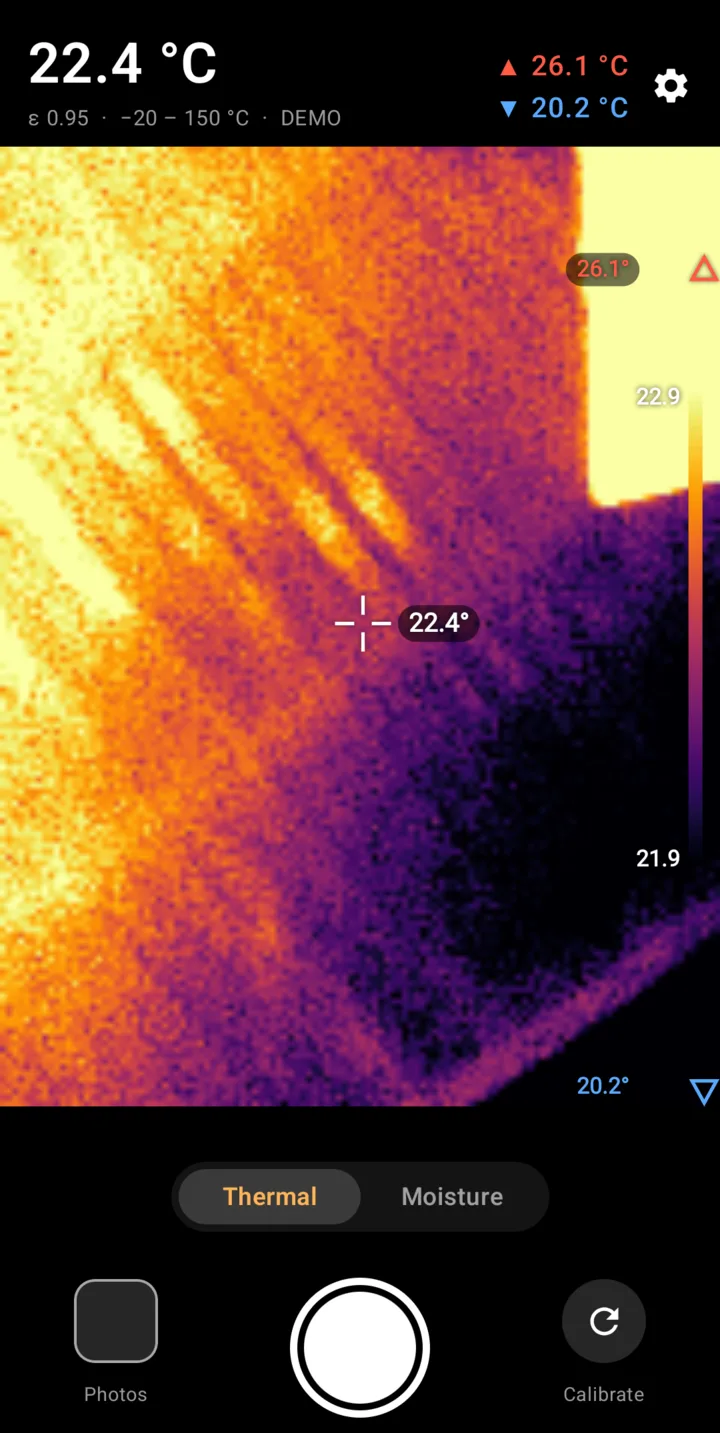
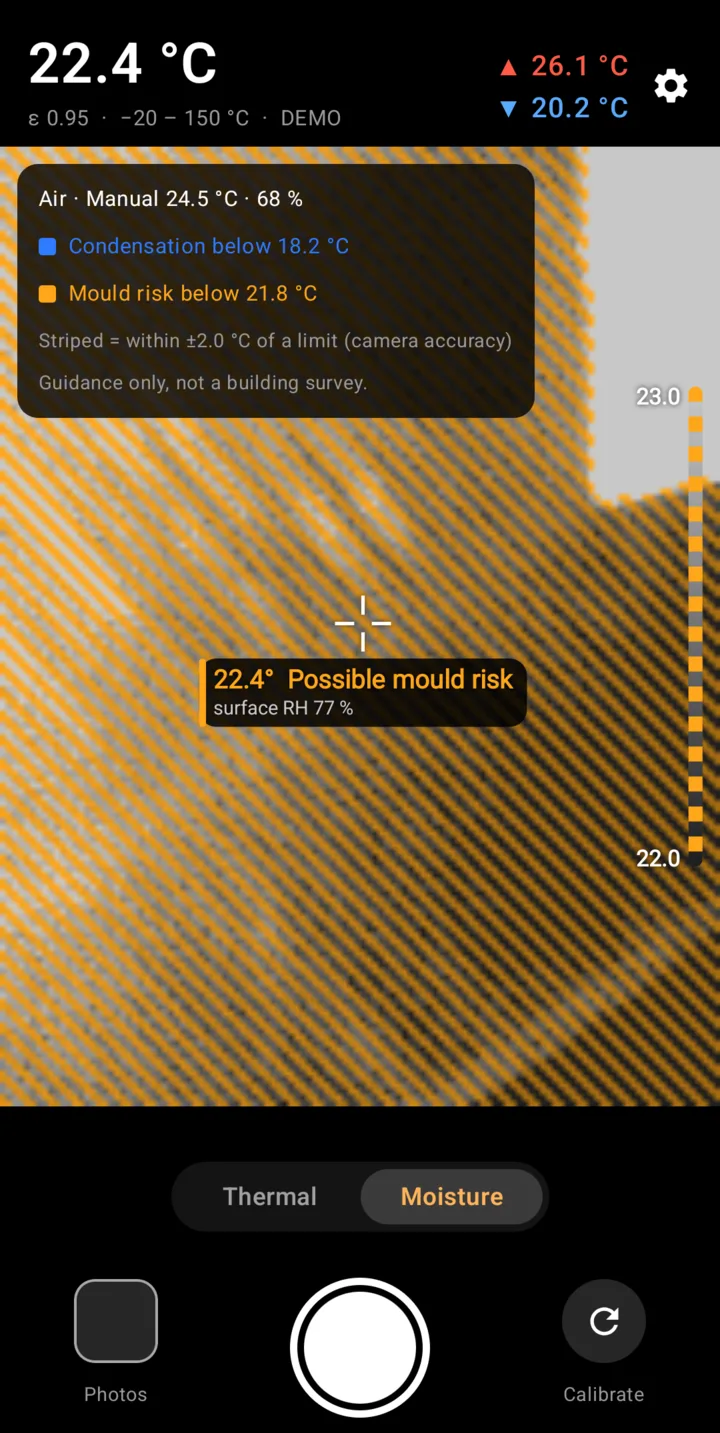
How the moisture check works
Mould doesn't need a leak. It needs a surface cold enough that the air touching it reaches about 80 % humidity, for days. Water condenses when a surface drops to the dew point.
Both limits follow from the room's air temperature and humidity. ThermoDew works them out and marks every pixel of the image against them: amber for mould risk, blue for condensation.
- Mould risk below 15.4 °C
- Condensation below 12.0 °C
Home Assistant
Connect ThermoDew to Home Assistant and it reads the room's temperature and humidity live, instead of you typing them in.
It can also measure how well a spot of wall holds heat (its temperature factor, fRsi) and replay the last seven days of your sensor history through it. You see whether a cold corner is a one-off or a problem every night.
Cameras
The camera plugs into the phone's USB-C port and ThermoDew opens when you connect it. You need Android 11 or newer.
| Camera | Resolution | Status |
|---|---|---|
| Thermal Master P1 | 160 × 120 | Tested, works on Android 16 |
| Thermal Master P3 | 256 × 192 | In testing |
| InfiRay P2 Pro, Topdon TC001 | 256 × 192 | Planned |
Limits
The P1 measures to about ±2 °C. ThermoDew marks results close to a limit as "possible" rather than certain. Its moisture checks are guidance, not a building survey: if a decision about your house depends on it, ask a professional.
ThermoDew is an independent app. It is not made, endorsed or supported by Thermal Master, InfiRay or Topdon.